Get clear answers on your Xero finances from Claude
The Xero connector in Claude gives you answers based on your live Xero data, wherever you work. It’s a secure, read-only way to use Claude for finance questions. Check up on your profit, cash, invoices and customers – all from within Claude.
Get Xero finance answers instantly with Claude
What to ask Claude about your finances
Revenue and profit
Ask "What was my profit this quarter?", and get a plain-English P&L summary from your Xero data.
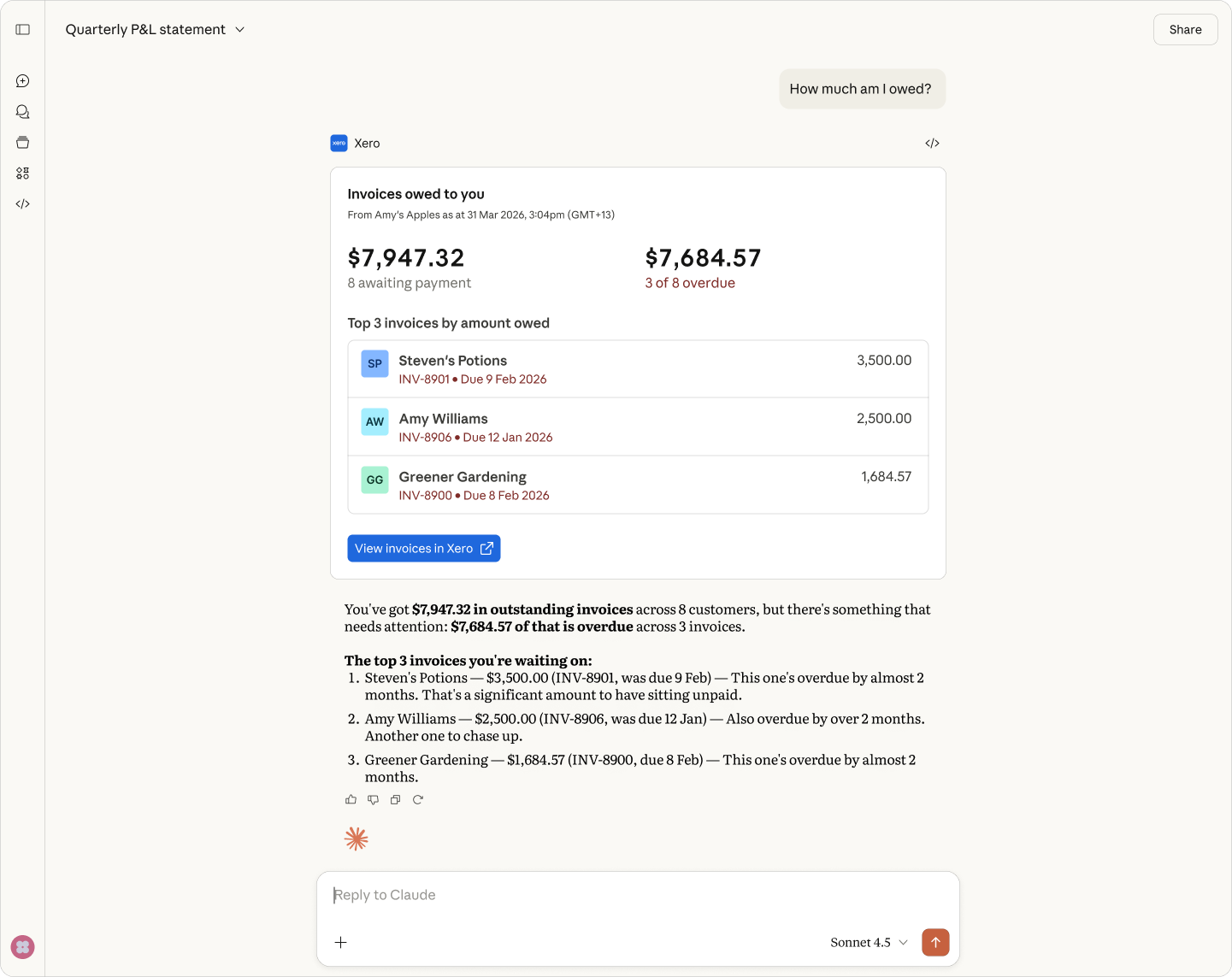
Receivables and customers
Ask "Who owes me money?" to see overdue invoices and your top customers, pulled from your Xero records.
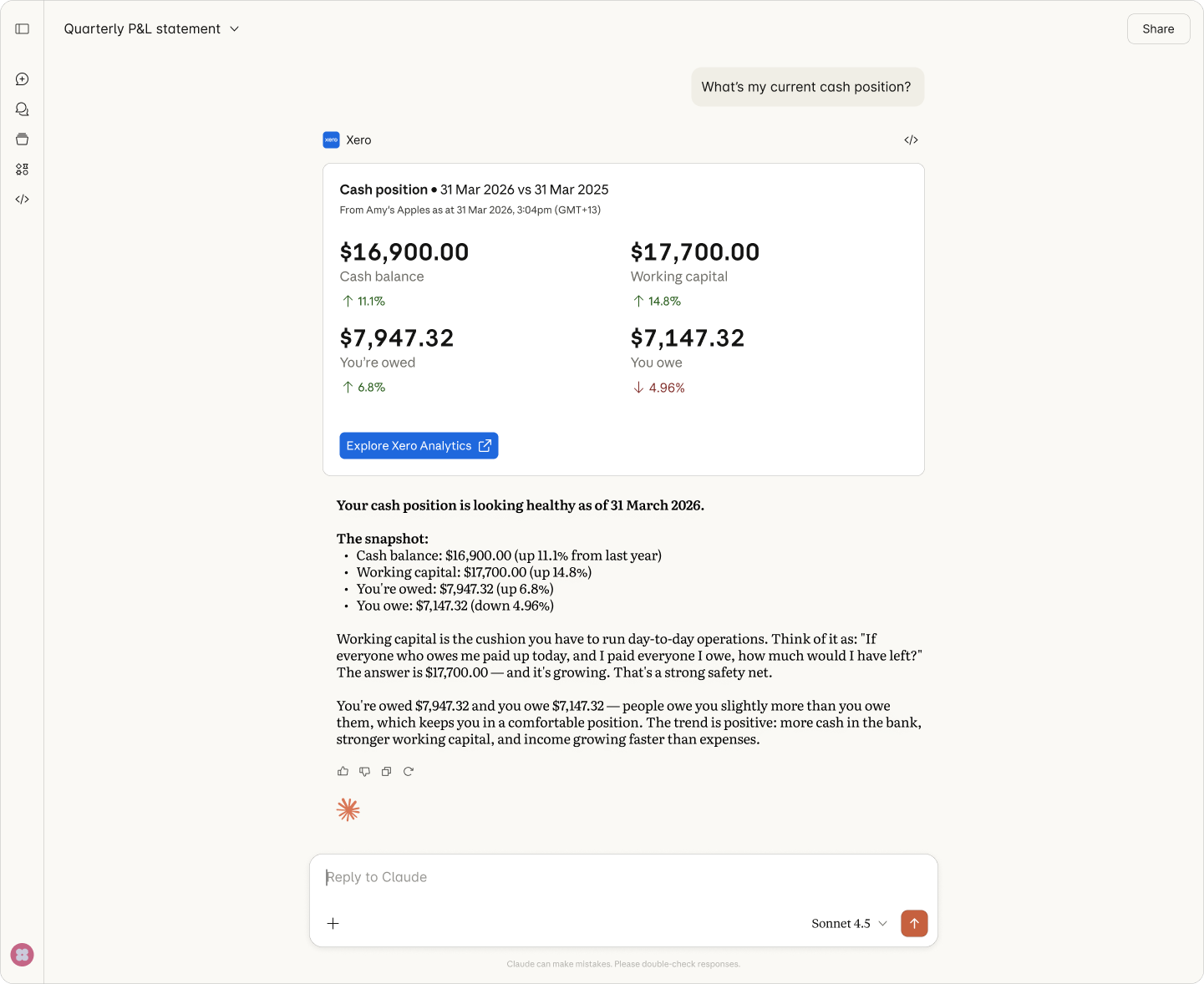
Cash and financial position
Ask "What's my cash position right now?" for your balance, plus what you’re owed vs what you owe.
Ask your Xero questions right in Claude
Claude works as an AI finance partner for accounting questions you’d usually have to dig through reports to answer. Ask Claude about your finances and get answers in plain English from live Xero data – you can see how your business is doing without leaving the chat.
- Get upfront answers in plain English – no need to run a report
- Let Claude work with your profit, cash, invoices, and customer data in Xero
- Ask follow-up questions to get deeper insights
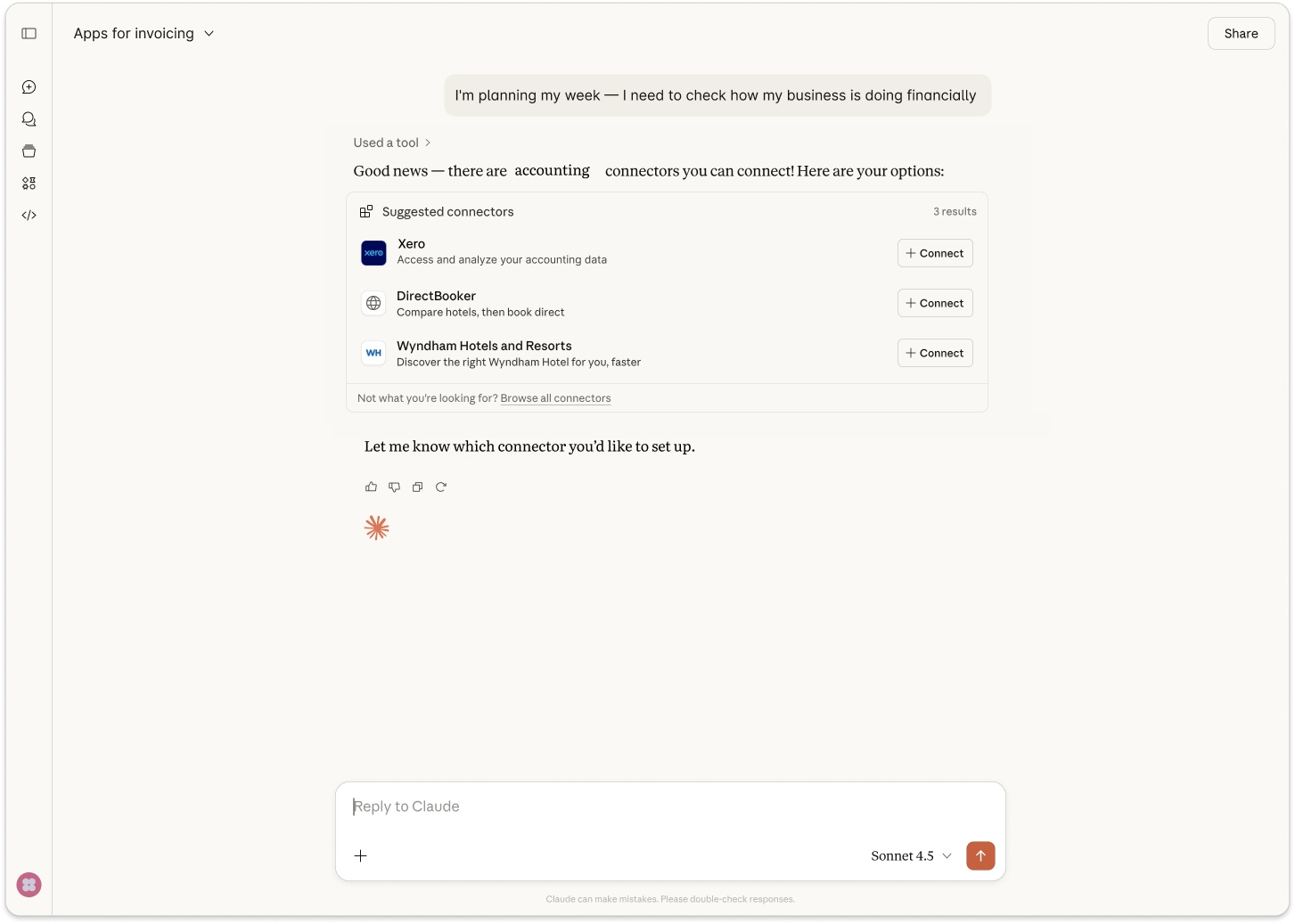
Get vital business info – not just numbers
Claude points you to what matters: overdue invoices, a tight cash week, or a customer who owes you. Ask in plain English and Claude finds the info you need within your Xero data to show what needs a look, so your time goes on decisions. It's one of a growing set of AI accounting tools.
- Ask Claude what's overdue so you can chase priority invoices first
- Check your cash position at a glance, in plain English
- Get a plain-English update on what's changed, anytime
Stay in control of every decision
You're always in control with Xero and Claude. The Xero connector is "read-only" at launch – that means Claude answers questions but can't change a thing. Your data disappears once the chat ends and is never used to train AI models. Xero remains the sole source of Claude's answers.
- Read-only at launch: Claude reads your data but can't change it
- Claude has no write actions – your books stay exactly as they are
- Your Xero data isn't used to train AI models
How to connect Xero to Claude
Connecting takes only a few minutes. You just need a Claude account on a free or paid plan – no developer setup or API work required.

Step 1
Sign in to Claude and add Xero in the connectors directory.
Step 2
Sign in with your Xero login to connect your account.
Step 3
Choose the Xero organization you want to use.
Step 4
Start asking Claude about your finances like your profit, cash, invoices, and customers.
The Xero Claude connector vs Xero MCP server
The connector is the read-only way to get answers in Claude. The Xero MCP server is a developer tool for custom workflows and automations.
FAQs
The Xero connector in Claude is a secure, read-only connection between your Xero account and Claude. It lets you ask plain-English questions about profit, cash, invoices, and customers, which Claude answers using your live Xero data. Claude gives you the links back to the Xero report, invoice, or contact it sourced from so you can check the details before you act.
The Xero connector in Claude is a secure, read-only connection between your Xero account and Claude. It lets you ask plain-English questions about profit, cash, invoices, and customers, which Claude answers using your live Xero data. Claude gives you the links back to the Xero report, invoice, or contact it sourced from so you can check the details before you act.
It’s pretty simple. Open Claude, go to the connectors directory and add the Xero connector, then sign in with your usual Xero login and choose the organization you want. There's no developer setup or API work, and it takes just a few minutes.
Once you're connected, you can ask Claude about your finances straight away.
It’s pretty simple. Open Claude, go to the connectors directory and add the Xero connector, then sign in with your usual Xero login and choose the organization you want. There's no developer setup or API work, and it takes just a few minutes.
Once you're connected, you can ask Claude about your finances straight away.
Yes, the Xero connector is free to add. You'll need an active Xero subscription and a Claude account (either free or paid). Xero doesn't charge you to connect the two, so you can start asking questions about your finances at no added cost.
Yes, the Xero connector is free to add. You'll need an active Xero subscription and a Claude account (either free or paid). Xero doesn't charge you to connect the two, so you can start asking questions about your finances at no added cost.
Your Xero data is never used to train AI. The Xero–Claude connection is read only and session only, which means Claude can only read your live data to answer a question – it cannot change it. and Xero stays the source of truth. You choose which organization to connect to Claude, and you stay in control of your data.
Your Xero data is never used to train AI. The Xero–Claude connection is read only and session only, which means Claude can only read your live data to answer a question – it cannot change it. and Xero stays the source of truth. You choose which organization to connect to Claude, and you stay in control of your data.
No. The Xero connector is read-only at launch, so Claude can look at your data and answer questions but can't edit invoices, post transactions, or change anything in your books. When you want to act on what you learn, just follow the link back to Xero and make the change yourself.
No. The Xero connector is read-only at launch, so Claude can look at your data and answer questions but can't edit invoices, post transactions, or change anything in your books. When you want to act on what you learn, just follow the link back to Xero and make the change yourself.
Ask Claude about profit, cash flow, overdue invoices, and your top customers. Claude pulls answers from your live Xero data, so its answers are always up to date. And you can see how the business is tracking and ask follow-up questions without opening a report or building one from scratch.
Ask Claude about profit, cash flow, overdue invoices, and your top customers. Claude pulls answers from your live Xero data, so its answers are always up to date. And you can see how the business is tracking and ask follow-up questions without opening a report or building one from scratch.
No, it doesn't replace your accountant, bookkeeper or JAX. Claude for accounting questions is a quick way to check your own numbers in plain English – it’s not a source of tax, compliance, or financial advice. For accountants and bookkeepers, the Claude–Xero connector can mean clients who arrive better informed, with fewer basic report requests.
No, it doesn't replace your accountant, bookkeeper or JAX. Claude for accounting questions is a quick way to check your own numbers in plain English – it’s not a source of tax, compliance, or financial advice. For accountants and bookkeepers, the Claude–Xero connector can mean clients who arrive better informed, with fewer basic report requests.
AI that keeps your books accurate, and you in control
Xero believes that AI should help you make decisions, not make them for you. The Claude–Xero connector gives you clear answers without touching your books in any way – and never uses your data to train AI models.
See how Xero builds AI you can trust